Most project management tools are only useful once a project has already been defined - someone hands them a finished scope and they track it. Ceruleo starts earlier, at the spark of an idea, which means the Organizer cannot work the way a normal tool's structure works. You do not design the tree and then do the project. You sketch the tree in broad strokes, and the creative work itself carves it into shape.
The Organizer is still the skeleton everything hangs from - flags, RFIs, schedule items, published drawings, and rallies all point at its nodes, and the payoff is still the element dashboard, where one click shows everything the team has ever attached to a piece of the build. But the skeleton is alive. It starts vague because the idea starts vague, and it earns its precision the same way the idea does: through iteration.
The mental model
Three levels - Zones → Areas → Elements (the labels are configurable, the shape is not) - that mature through the life of the project:
- Day one, the tree is a sketch. A handful of broad zones taken from the creative brief, named honestly at the resolution you actually have. "Entry experience" is a perfectly good zone name in week one. "Portal Arch" would be a lie - nobody has designed an arch yet.
- During creative development, the tree lags the studio slightly - on purpose. Ideas live in Sparks and take shape in Sandboxes (Part 2). While something is still three competing concepts, it does not deserve a node; the moment one concept wins and gets a name, it does.
- The publish moment is the forcing function. A studio asset cannot be published without an element to land on. When the Entry Portal package is approved and ready to publish, its elements must exist - so approval reviews naturally become the rhythm where the tree gains its next ring of detail.
- By fabrication, the tree is site-walkable. Every build node names a place or a thing someone can point at during a site walk, and the element dashboards have become the project's memory.
The tree's job at every stage is the same: to be an honest map of the idea as currently understood - never more detailed than the thinking, never lagging so far behind that work has nowhere to land.
Not every branch has to be something you can touch. The tree reads most naturally as a map of the physical build, but a node is really just a home for a body of work that belongs together - and work that matters to the project but has no physical home deserves a branch of its own. A Marketing zone can carry elements for the launch campaign and press materials; an Operations area can hold staffing plans and run-of-show; a Sponsor Deliverables element can collect everything owed to a partner. These earn dashboards exactly the way physical nodes do: one click gathers every flag, task, note, and asset attached to that effort. The same maturity discipline applies - give a workstream a node when there is real work to land on it, not before.
The scenario
Aurora Pavilion did not begin as a structure. It began as a company Spark - "Aurora Light Curtain," a fiber-optic threshold visitors part with their hands - that survived enough scrutiny to become a project (Part 2 tells that half of the story).
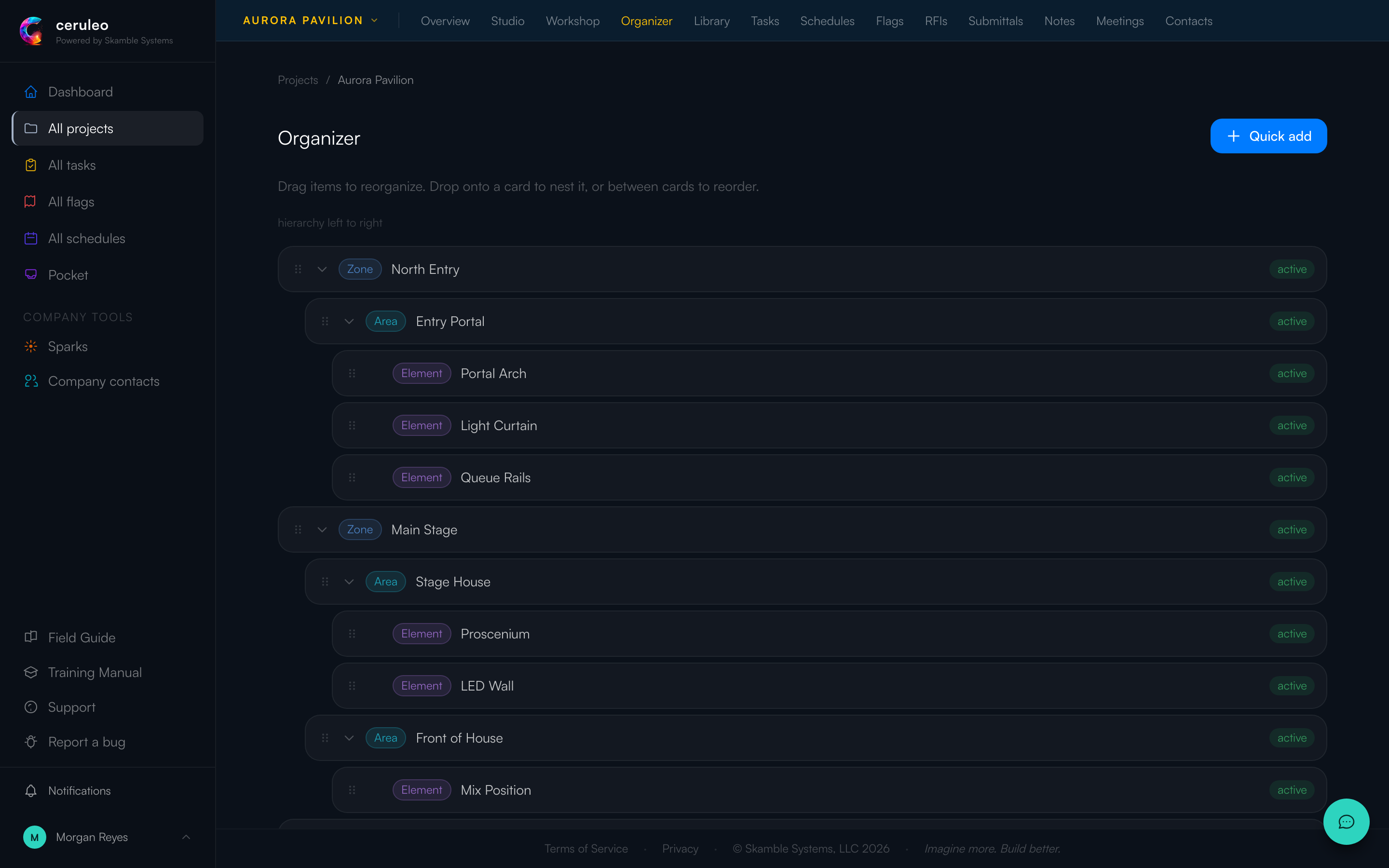
Week one. Morgan, leading the project, opens the Organizer and sketches exactly what the pitch knows and nothing more: three zones - North Entry, Main Stage, Concourse - because the venue and the show format imply that much. Under North Entry, one area: Entry Portal, since the light curtain idea clearly lives at the threshold. No elements anywhere. Ten minutes of work, and every early flag, note, and RFI now has somewhere broad-but-true to land.
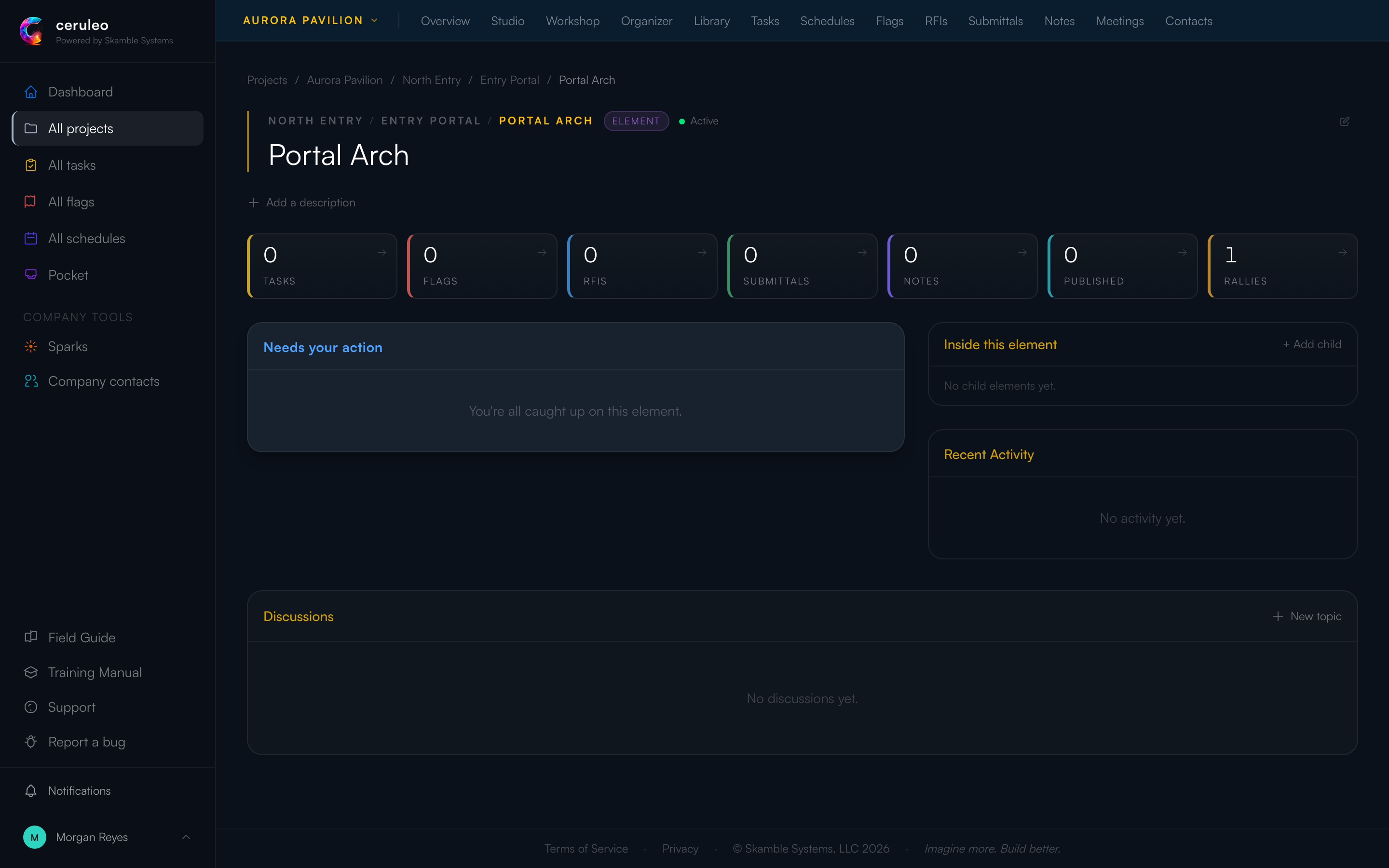
Development. Jules explores the entry in the Entry Portal Concepts sandbox - arch studies, curtain mockups, queue treatments. None of these get nodes yet; they are still arguments, not decisions. When the direction settles into a portal arch flanked by the curtain with rails managing the queue, those names become the elements: Portal Arch, Light Curtain, Queue Rails. The tree just learned what the studio decided.
Firming. The wayfinding package matures fastest. When Morgan is ready to publish the approved sign family, publishing demands a destination - so Wayfinding gains Monolith Signs and Directional Blades, and the approved assets land on them. From here on, anyone standing in the concourse asking "what's the current sign spec?" opens the element and reads the answer.
Fabrication. Riley - the outside fabricator, not a Halcyon employee - files a flag about a cracked acrylic panel. It lands on Light Curtain, an element that did not exist when the project started and now carries the whole history of that piece: the concept lineage, the published spec, the flag, the tasks.
Decision rules
Rule: sketch broad strokes on day one - never a finished tree, never nothing. Ten minutes, a few zones from the brief, an area where the founding idea obviously lives. Project creation defaults to a blank structure and nothing ever forces you back, so the sketch is a discipline, not a prompt.
Cost of skipping it: the empty-organizer anti-pattern - the most common failure we see. Work happens, but every record lands "somewhere in the project"; nothing can be traced to a place, and publish stalls the first time an approved asset has no element to land on. Retrofitting structure after three months means re-placing hundreds of items by hand.
Cost of overdoing it: a fully imagined tree on day one is fiction, and teams treat it as decided. Elements named before the studio has explored them quietly pre-empt the creative work - the tool starts dictating the design. If a node names something nobody has chosen yet, delete it.
Rule: a concept earns its node when it wins, not while it competes. Three arch options in a sandbox are one future element, not three nodes. Promote the winner's name into the tree at the moment of decision - that is the handshake between the studio and the map.
Cost of choosing wrong: nodes for losing concepts litter the tree and collect misplaced work; waiting too long past the decision leaves finished thinking with nowhere to land, and people fall back to unplaced items.
Rule: name nodes at the resolution you honestly have, and rename freely as resolution improves. "Entry experience" → "North Entry" → with Portal Arch under it is healthy evolution, and renaming is free - every placed item follows automatically. Name after places, things, or standing workstreams - never after time, trades, or people: phases belong to the schedule (Part 3), disciplines to how you assign work. (Workstream branches like Marketing are the exception that proves the trade rule: their work has no home anywhere on the physical tree. A Lighting zone fails precisely because its work does - on every element it touches.)
Cost of choosing wrong: a "Phase 2" zone goes stale the moment the schedule shifts; a "Lighting" area forces every multi-trade element into two homes or none. Either way people stop trusting the tree, and the dashboards go dark.
Rule: place work at creation, not "later." Every create dialog that can carry an element offers a placement picker, and creating from an element page pre-fills it. Placement is optional almost everywhere by design (an unplaced task legitimately means "whole project"), so the habit has to come from you - even in week one, when "placed" just means "on the right broad zone."
Cost of choosing wrong: unplaced items are invisible from every element dashboard. They still exist in the tool tabs, but nobody browsing the thing will ever meet them. See also the orphaned-rally anti-pattern in Part 2.
Who can shape the tree
Adding elements is deliberately open: any project member can add nodes by default (an admin can withhold this per member). Reorganizing - moving and re-nesting what exists - is deliberately narrow: project admins, org admins, and members explicitly granted reorganize rights. In a tree that is supposed to keep changing, that asymmetry is the point: growing the map as ideas win is everyone's job; rewriting the map is a decision, made by whoever holds the whole picture. Treat reorganization as a rhythm - a quick pass at each phase gate, when the studio's decisions have outrun the sketch - not as an emergency.
If the Organizer tab won't let you drag nodes, that is not a bug - ask your project admin, and have a reason ready.
Troubleshooting
- "I can't find where someone put something." Check the tool tab and look at the item's placement line. If it has none, it was created unplaced - place it now (open the item, add the element) rather than filing a duplicate.
- "Our tree still looks like week one and the project is half done." The studio outran the map. Don't boil the ocean: promote the decided concepts to elements first (start where publishing is imminent), re-place only the open items, and leave closed history where it lies.
- "Two elements are really the same thing." Move the work to the survivor, then delete the duplicate. Deleting a node does not delete the work placed on it - those items simply become unplaced, so re-place them immediately. But deleting a node does delete everything nested under it: removing an area removes its elements too. Empty the branch before you prune it.
- "The design changed and half the tree is obsolete." That is the system working - the tree is supposed to trail the idea. Rename what evolved, prune what died (see above), and resist the urge to keep dead structure "for the record": the record lives on the items, not the scaffolding.
Mechanics - creating elements, the drag-to-reorganize gestures, and the structure section of project settings are covered click-by-click in the in-app Field Guide → Organizer.
The admin's half: structure templates
If your company starts the same kind of project repeatedly - pavilions, retail rollouts, touring sets - a structure template codifies the day-one sketch so no project lead rebuilds it from memory. Company settings → structure templates lets you define the level labels and the broad-strokes starting skeleton once; project creators then pick the template instead of the blank default.
Rule: the template is the sketch, not the finished tree. Ship the zones a project of this kind always has, the naming convention, and nothing that a studio has not yet designed. Elements are the creative work's output - a template that pre-names them dictates design decisions before anyone has had the idea.
Cost of choosing wrong: over-stuffed templates get skipped ("blank was faster"), and you are back to the empty-organizer anti-pattern - now with a template nobody uses. Worse, teams that do use an over-detailed template inherit a fictional tree and spend the concept phase working around someone else's guesses.
Two operational notes:
- Templates are copied at project creation. Editing a template later does not touch existing projects, so template improvements only compound on future work - another reason to invest in them early.
- Watch new projects for the blank default. A project created blank three weeks ago with real activity in it is the cheapest possible intervention point: one conversation with its lead now, or hundreds of unplaced items later.